UBP for Accounting: Supplier Invoices From Paper to Paid | Infoseer Consulting

Featured product

UBP for Accounting. From paper to paid.

Supplier invoices still arrive as paper and PDFs, and someone still types them in. UBP for Accounting reads each invoice with AI, has a person confirm it, checks it against the invoices before it, and carries it through approval, your ERP, payment, and compliance reporting.

Product demo Suppliers, invoices, and amounts are sample data, not a client result.

How it works

One invoice, from the moment it arrives to the day it is filed

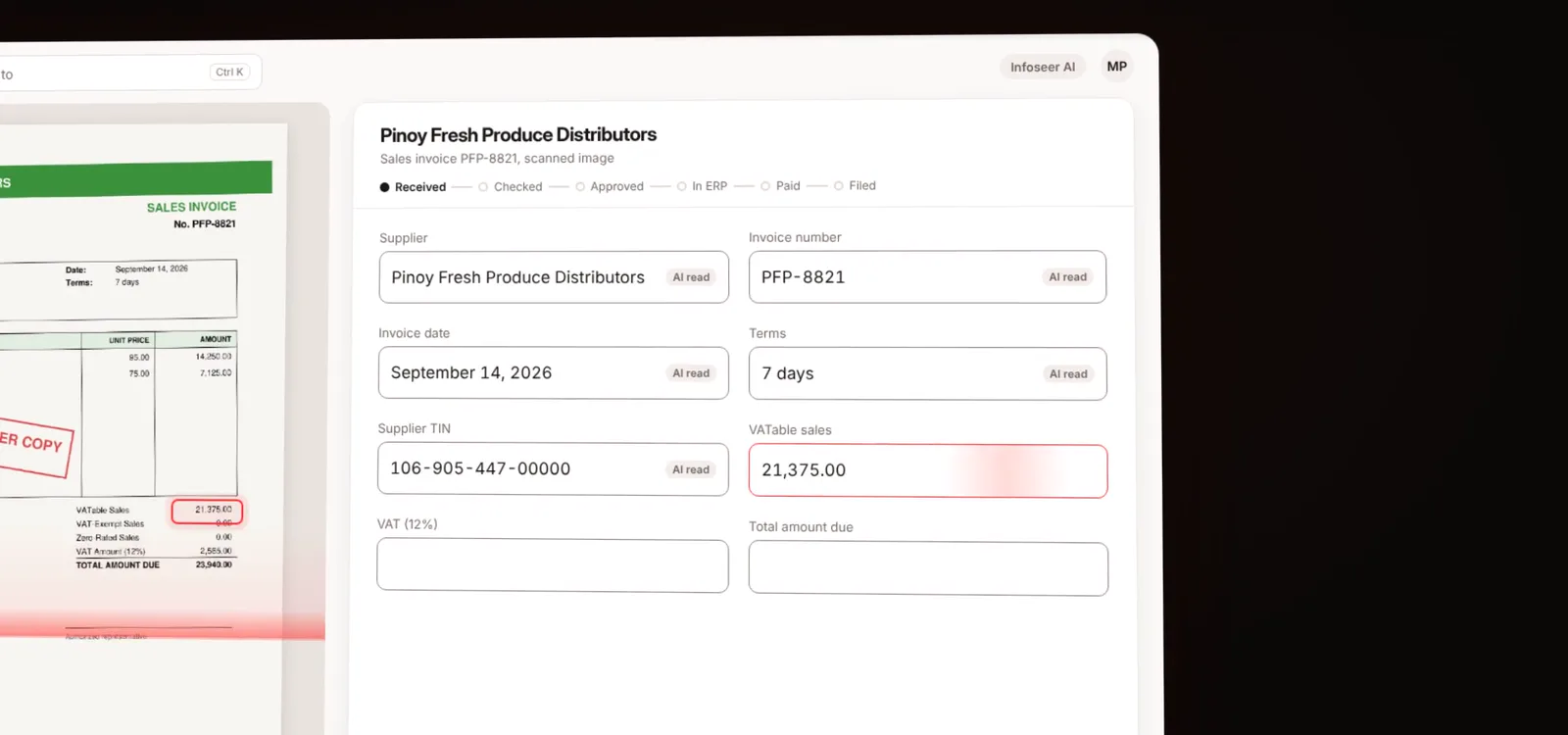
A scanned supplier invoice beside the values UBP for Accounting read from it: supplier, invoice number, date, terms, TIN, VATable sales, VAT, and total
01

Reads every invoice. Even scans.

AI reads the supplier, invoice number, date, terms, TIN, VATable sales, VAT, and total from scanned images and PDFs, and marks every value it read.

A person reviews those values beside the original, then accepts them with one keystroke or corrects a field. Nothing moves on until someone confirms it.
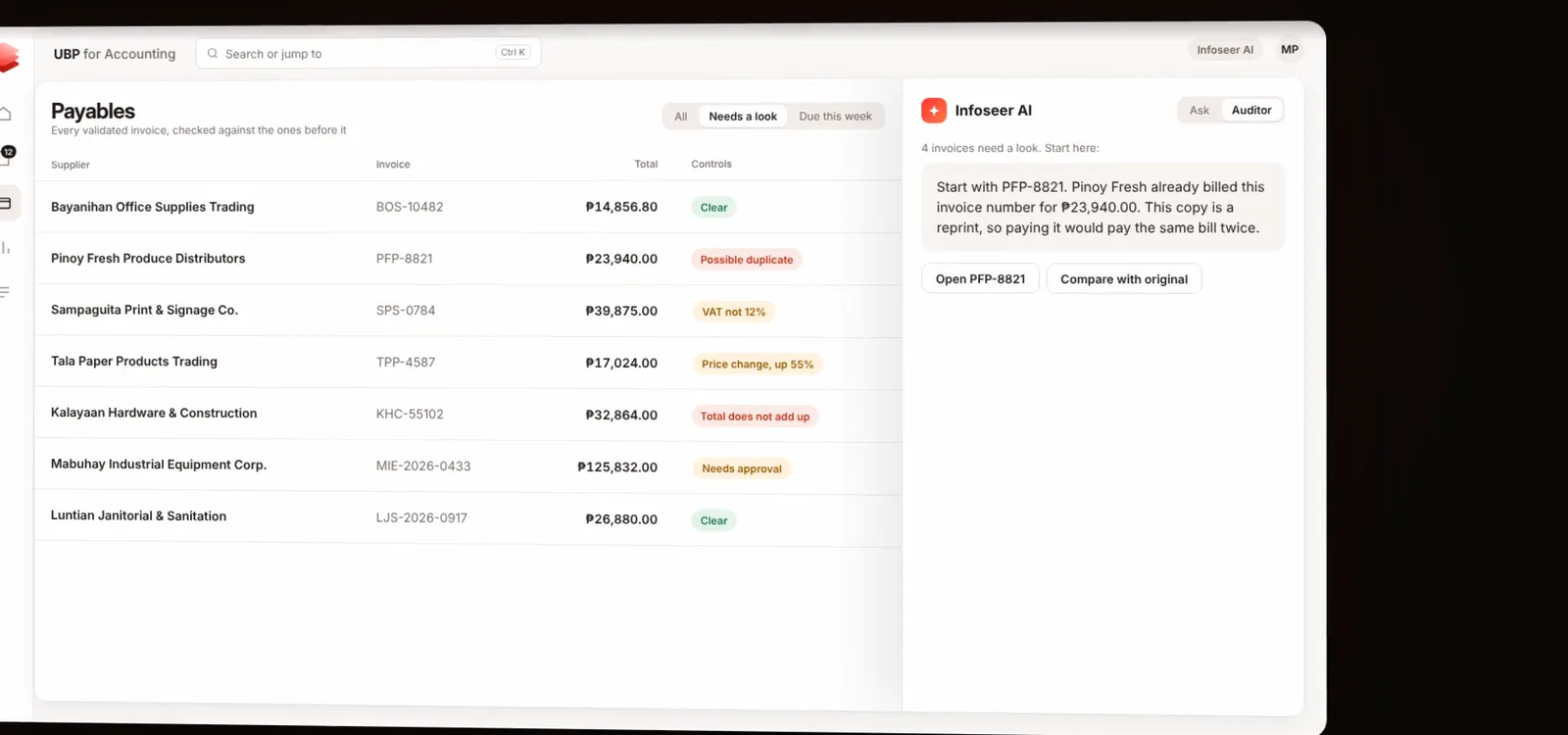
The payables list flagging a possible duplicate, VAT not at 12 percent, a 55 percent price change, a total that does not add up, and an invoice that needs approval, with Infoseer AI explaining which invoice to open first
02

Catches mistakes before you pay.

Every confirmed invoice is checked against the ones before it. The same invoice number billed twice under one supplier TIN, VAT that is not 12%, a sudden price change, lines that do not add up to the total, and amounts above an approval limit are all flagged.

Infoseer AI then shows where to look first and explains why, so the team spends its time on the invoices that need it.

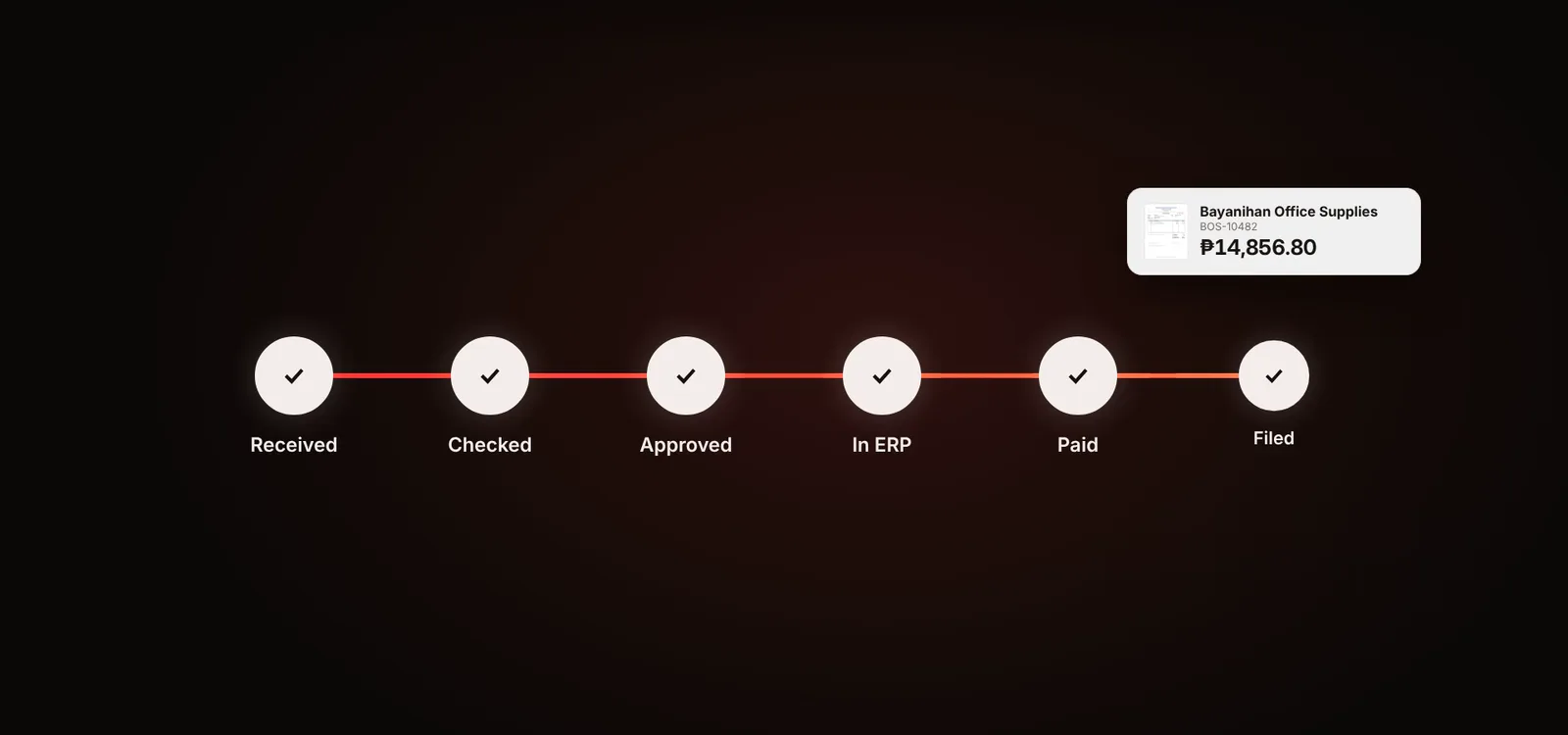
An invoice moving through six stages, Received, Checked, Approved, In ERP, Paid, and Filed
03

Received to filed. One flow.

Approved invoices are posted to your ERP as purchases, followed through to payment, and carried into the compliance reports your business files.

Each step is recorded, so anyone can see where an invoice is and who moved it.

The flow

Six stages, one record

  1. ReceivedPaper or PDF in, read by AI.
  2. CheckedConfirmed by a person and tested by the controls.
  3. ApprovedRouted to the right approver when an amount or flag needs it.
  4. In ERPPosted to your ERP as a purchase.
  5. PaidTracked against its due date.
  6. FiledIncluded in the compliance reports you file.

The foundation

Built on Infoseer's Unified Business Platform

UBP is the framework Infoseer uses to build connected business applications: Microsoft sign-in, roles and approvals, an activity trail, document intelligence, an AI assistant, and connections to the systems a business already runs.

This demo applies it to accounts payable. The same foundation can carry other document-heavy workflows, shaped around the process rather than a fixed product.

See it live, with the team that built it

We will walk you through the demo and talk through how your invoices, approvals, and ERP would fit.

Request a live demo